
BALENCIAGA IS CURRENTLY DOWNBALENCIAGA IS CURRENTLY DOWN AND WE ARE WORKING ON BRINGING IT BACK UP AS SOON AS POSSIBLE

Steps to ShoppingSetting up the ExtensionMust KnowWhy ShopaxaFAQBlog
steps-to-shopping-desktop-image
steps-to-shopping-mobile-image

001

Shop your
favorite brand

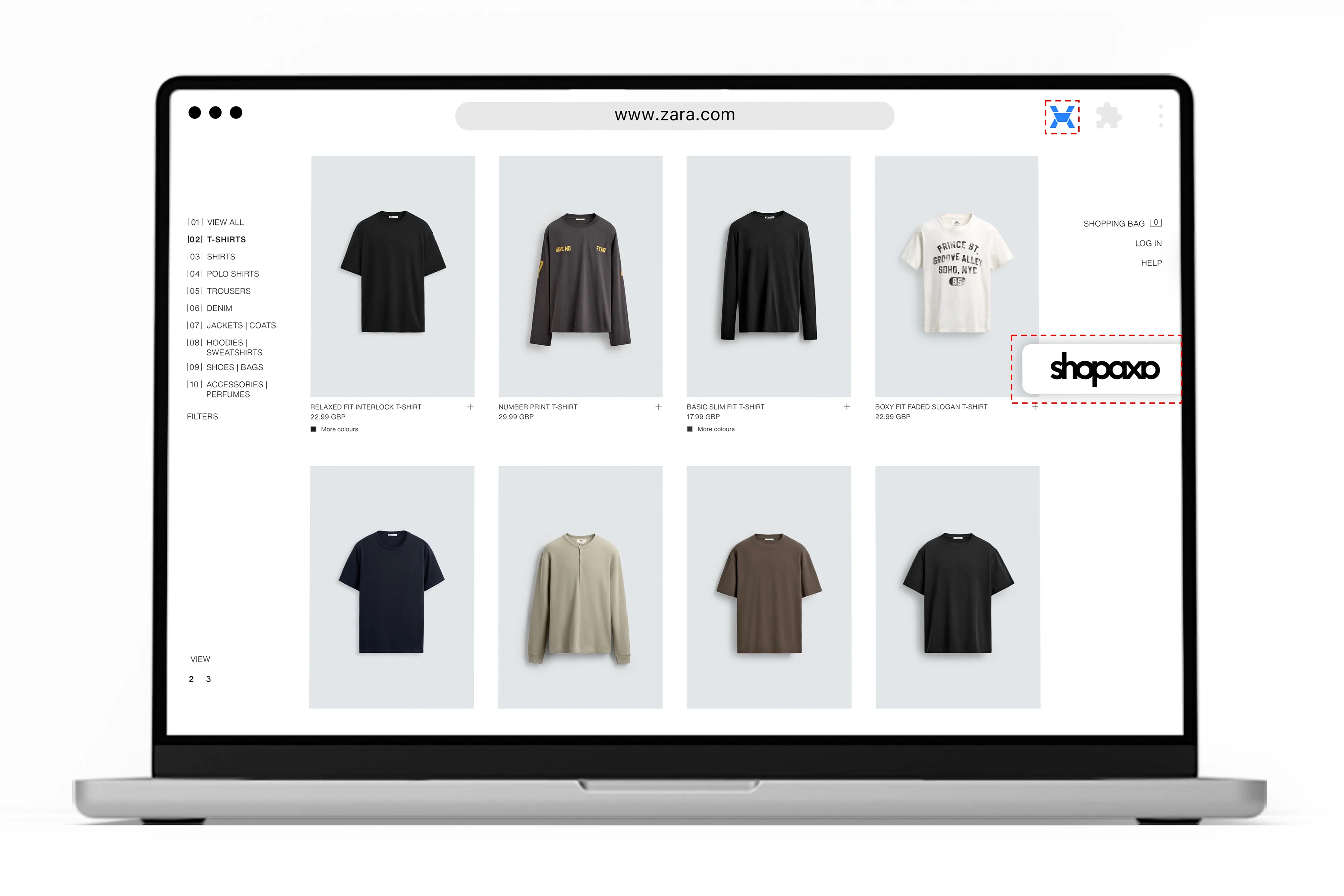
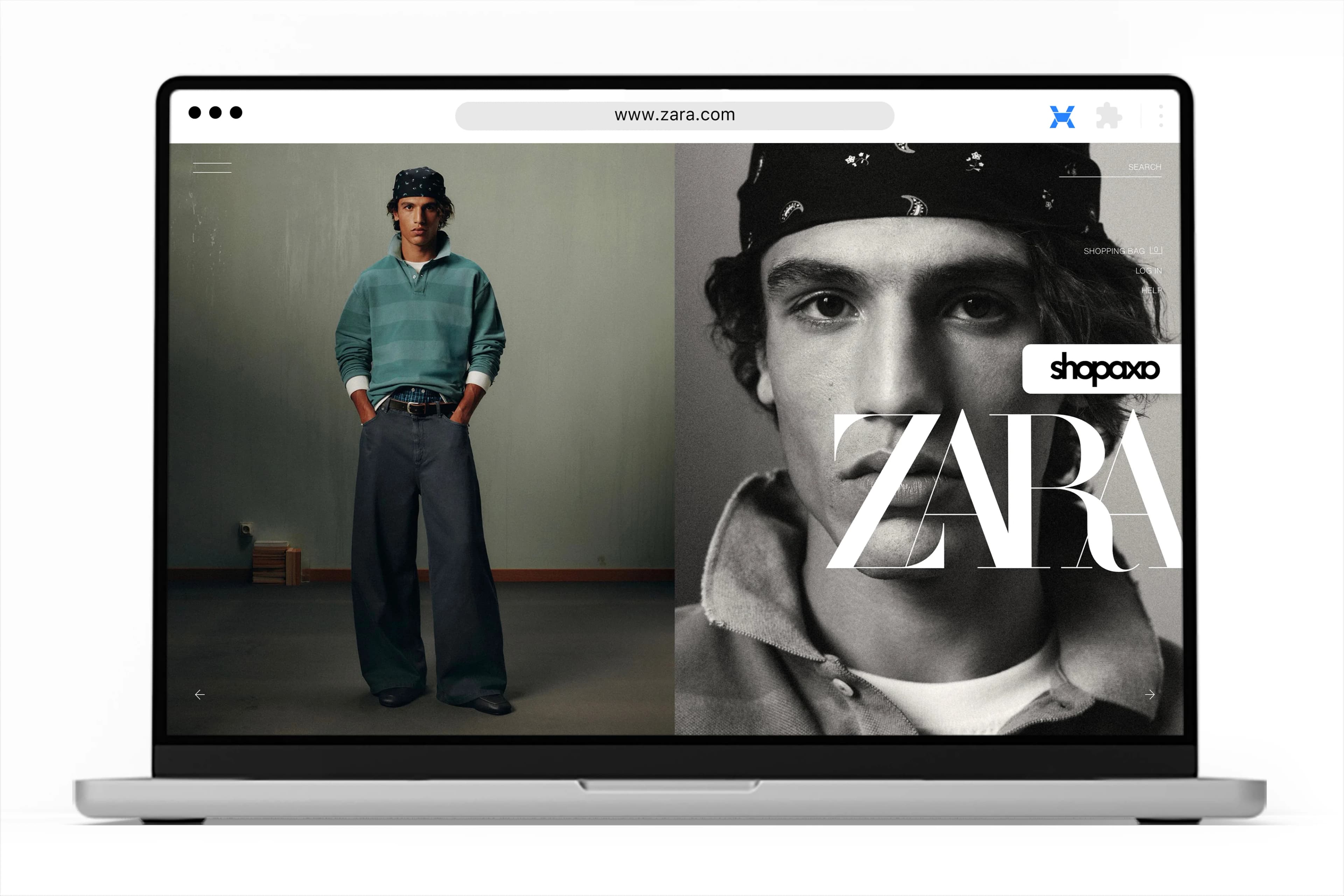
Browse and shop on your favorite foreign brand's website as usual. No changes to your experience. Add items to your cart just like you normally would.

Shop your <br class="md:hidden lg:block"/> favorite brand-image
Shop your
favorite brand

001

Shop your <br class="md:hidden lg:block"/> favorite brand-image

Browse and shop on your favorite foreign brand's website as usual. No changes to your experience. Add items to your cart just like you normally would.

002

Tap the Shopaxa
icon to continue

Once you've finished shopping, open your cart by tapping the Shopaxa icon on the right side of your screen.

Tap the Shopaxa <br class="md:hidden lg:block"/> icon to continue-image
Tap the Shopaxa
icon to continue

002

Tap the Shopaxa <br class="md:hidden lg:block"/> icon to continue-image

Once you've finished shopping, open your cart by tapping the Shopaxa icon on the right side of your screen.

003

Review cart and
generate code

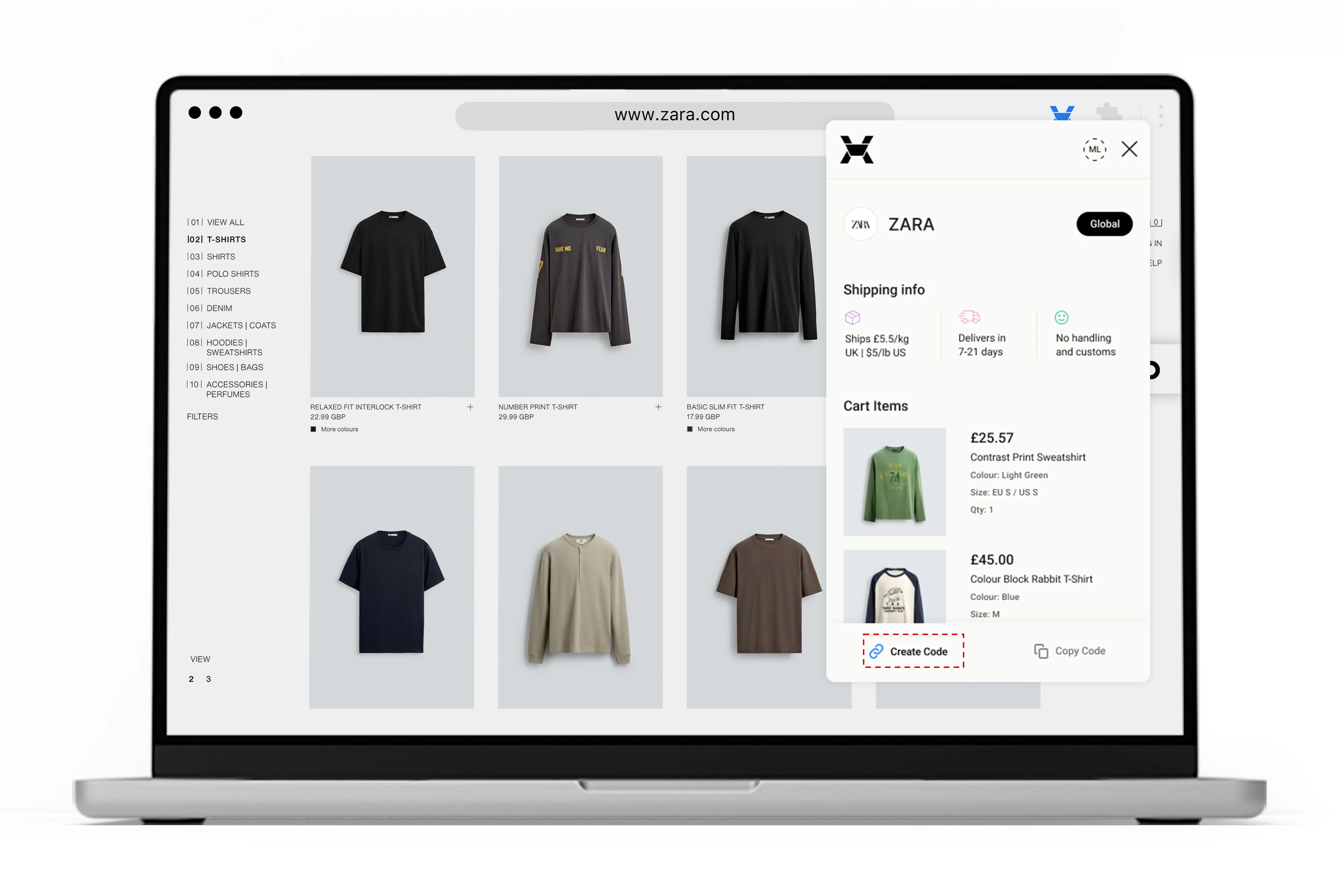
Carefully review all items in your cart to make sure everything is correct. Once ready, tap “Create Code” to securely generate your order.

Review cart and <br class="md:hidden lg:block"/> generate code-image
Review cart and
generate code

003

Review cart and <br class="md:hidden lg:block"/> generate code-image

Carefully review all items in your cart to make sure everything is correct. Once ready, tap “Create Code” to securely generate your order.

004

Generate code
and shop now

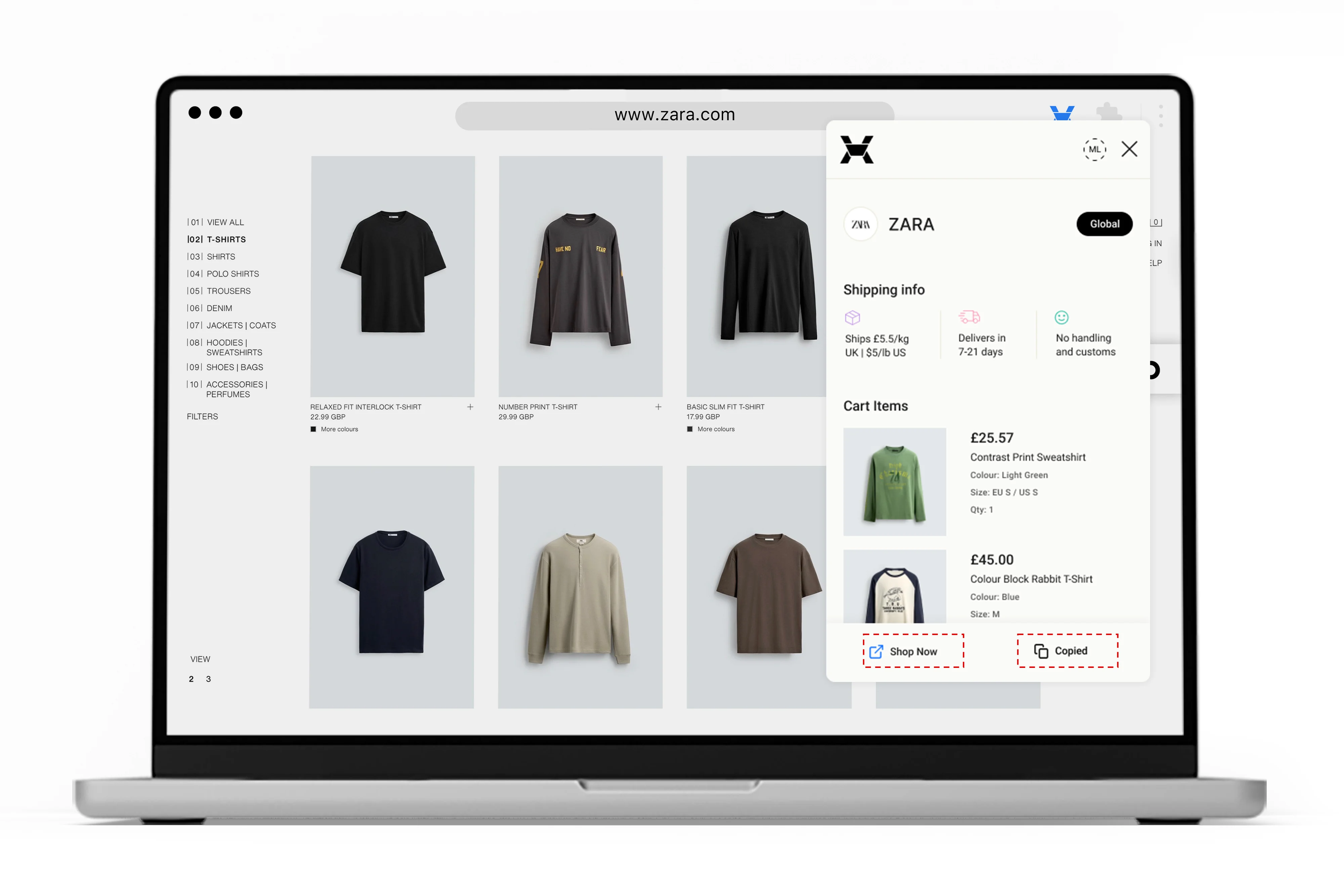
Once your code is generated, you can click “Shop Now” to purchase in local currency immediately, or copy the code to share your cart and shop later.

Generate code <br class="md:hidden lg:block"/> and shop now-image
Generate code
and shop now

004

Generate code <br class="md:hidden lg:block"/> and shop now-image

Once your code is generated, you can click “Shop Now” to purchase in local currency immediately, or copy the code to share your cart and shop later.

001

Shop a
luxury store

Browse and shop on your favorite foreign brand's website as usual. No changes to your experience. Save items to your profile with the Shopaxa extension.

Shop a <br class="md:hidden lg:block"/> luxury store-image
Shop a
luxury store

001

Shop a <br class="md:hidden lg:block"/> luxury store-image

Browse and shop on your favorite foreign brand's website as usual. No changes to your experience. Save items to your profile with the Shopaxa extension.

002

View items on
luxury websites

When an item is in view, the Shopaxa icon highlighted at the right side of the screen will glow blue indicating it can be saved. Tap the icon to open the extension and see the item ready to save.

View items on <br class="md:hidden lg:block"/> luxury websites-image
View items on
luxury websites

002

View items on <br class="md:hidden lg:block"/> luxury websites-image

When an item is in view, the Shopaxa icon highlighted at the right side of the screen will glow blue indicating it can be saved. Tap the icon to open the extension and see the item ready to save.

003

Save items to
your profile

Click the save icon on any item in the extension. It's automatically saved to your profile and will appear in the “Saved Luxury Items” section on your Shopaxa dashboard.

Save items to <br class="md:hidden lg:block"/> your profile-image
Save items to
your profile

003

Save items to <br class="md:hidden lg:block"/> your profile-image

Click the save icon on any item in the extension. It's automatically saved to your profile and will appear in the “Saved Luxury Items” section on your Shopaxa dashboard.

004

Luxury items
procured for you

Once item as been saved go to your dashboard, select the saved items you want, and submit a quote request. A personal shopper will be assigned to source and purchase the items for you.

Luxury items <br class="md:hidden lg:block"/> procured for you-image
Luxury items
procured for you

004

Luxury items <br class="md:hidden lg:block"/> procured for you-image

Once item as been saved go to your dashboard, select the saved items you want, and submit a quote request. A personal shopper will be assigned to source and purchase the items for you.

  • Subscribe to our newsletter
  • FAQ
  • Track Order
  • Payment
  • Delivery
  • Refund
  • Refund Policy
  • Delivery & Shipping Policy
  • Terms of Service
  • Privacy Policy
  • Cancellation Policy
  • About
  • X
  • LinkedIn
  • Instagram
  • Blog
  • Steps to Shopping
  • Setting up the Extension
  • Must Know
  • Why Shopaxa
  • Block 5 Flat 2 Yellow Chalet, Redemption Camp, Ogun State.
  • +2349060347521
  • SEND US AN EMAIL

© 2026 Shopaxa